


Texas Roadhouse
4.88.31K Reviews
App Specs
- Version
- 8.7.0
- Updated On
- License
- Free
- Downloads
- 5,000,000+
- Developer
- Texas Roadhouse, Inc
- Categories
- Food & Drink
- Platform
- Android, iOS
Screenshots
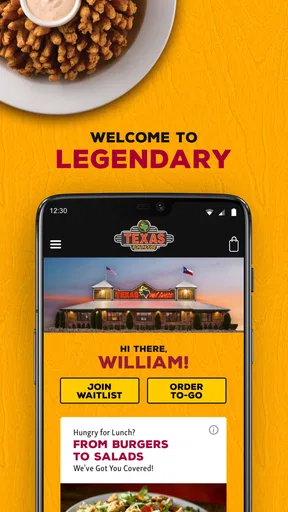
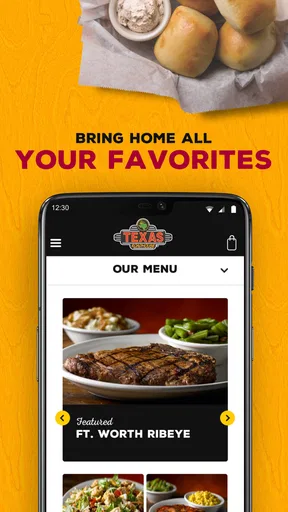
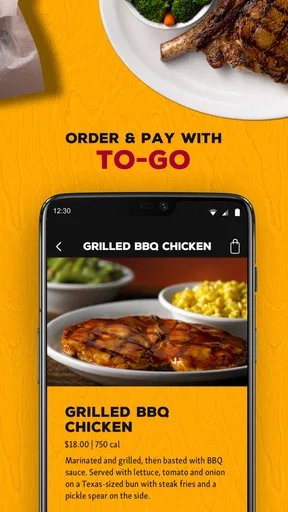
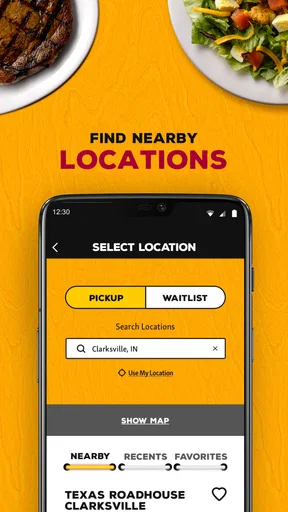
 Analysis by AppCompare
Hey there! When I use a restaurant app, I want it to make choosing and arranging a meal easier, not turn dinner into another project. The Texas Roadhouse app is aimed squarely at people who already enjoy eating at this steakhouse and want a handy way to explore its menu and plan an order. It’s a free Food & Drink app from Texas Roadhouse, Inc, and its focus is more practical than broad: it serves fans of this particular restaurant rather than trying to replace every dining app on a phone.
What it is useful for before you leave home
I find the strongest case for the app is getting a meal organized while there’s still time to think. You can look through the menu before you arrive, settle on a main dish, and consider the rest of the order without trying to decide while other people are waiting. That is especially helpful when you’re coordinating dinner with family or friends, since everyone can have a clearer idea of what they want before the meal begins.
It also suits repeat visits. If you tend to choose the same steakhouse meal, having a familiar route through the ordering process can save mental effort on a busy evening. I’d still review the details each time rather than treating a saved choice as automatic: appetites, preferences, and plans change, and a quick check is easier than discovering a mismatch after the order is placed.
Where it fits among restaurant apps
Compared with a general restaurant-discovery or delivery app, this one has a narrower purpose. A broad service is more useful when I’m deciding between many restaurants, comparing places nearby, or arranging food from different businesses. The Texas Roadhouse app makes more sense after I’ve already chosen this restaurant and want to handle the menu or an order in its own setting.
That focus is both its advantage and its limitation. You do not need to sift through unrelated restaurants to get to Texas Roadhouse, but the app is not a universal meal planner. If I’m unsure what kind of food the group wants, or if somebody needs a restaurant outside this chain, I would start with a wider search instead. The best choice depends on whether the decision is “Where should we eat?” or “How should we arrange this Texas Roadhouse meal?”
A realistic dinner workflow
Picture a weekday evening when I’m leaving work and my household wants dinner without a long discussion. I can browse the menu during a quiet moment, ask everyone what they prefer, and use the app to make the order easier to organize. If pickup is part of the plan, scheduling it gives me a way to coordinate the timing rather than waiting until I reach the restaurant to begin deciding.
My practical tip is to settle the essentials first: the main dishes, any important customizations, and the pickup plan. Then give the completed order a deliberate final read. That last pause matters most when several people are ordering, because a small change requested in conversation can be easy to miss while tapping through a phone. The app can streamline the steps, but it cannot resolve a disagreement about dinner or check that everyone has communicated their preferences clearly.
Worth Reading Before You Choose

Flipboard Shows What News Apps Must Do Beyond the Feed

Switching to Android Auto Means Rethinking Your Driving Routine

Google Calendar Makes a Crowded Week Easier to Manage

Ludo King Makes the Most of the Minutes Between Plans

Baby Panda World Brings Quick Play to Modern Phones, but Its Game Library Feels Busy

ESPN’s Live Game View Makes Following Close Games Easier
Who will appreciate it—and who may not
I’d recommend trying it if Texas Roadhouse is already part of your routine, if you like browsing a menu before committing, or if arranging pickup ahead of time fits your schedule. It can be particularly convenient for someone who wants to repeat a familiar order without rebuilding it from scratch every visit. The app is also a reasonable place to check for current promotions before paying attention to a meal total, rather than assuming a deal is available without looking.
On the other hand, occasional visitors may not need a dedicated restaurant app at all. If you only eat there once in a while, browsing the menu when you arrive may be enough. It is also not my first choice when I want to compare multiple restaurants or need a meal-planning tool that covers a broad range of places. The useful question is not whether every diner should install it, but whether its convenience matches how often and how specifically you visit Texas Roadhouse.
Small checks that make ordering smoother
Before relying on an order for a tight schedule, I would confirm the details shown in the app and leave myself room for the ordinary uncertainty of a restaurant visit. A scheduled pickup is a planning aid, not a guarantee that every part of an evening will happen on the minute. For a large group, I’d also make one person responsible for reviewing the complete order so that customizations and quantities are not scattered across several conversations.
Rewards and promotions are worth checking as part of that routine, but I would treat them as a bonus rather than the reason to place an order. A promotion only helps if it suits what you actually want. Similarly, saved favorites are convenient when they reflect your current preferences; they are less useful if you tap through without checking whether the meal still fits the occasion.
Using the app day to day
I use this section to look at how the app fits into ordinary planning, from a quick menu check to organizing a meal before leaving home. I’ll focus on the small choices that can make those steps feel more manageable, then turn to what browsing the menu is like.
Browsing the Menu
One of the best features is how easy it is to browse their menu. The app is organized in a way that makes it super simple to find what you’re craving. Whether it’s their famous ribs or a classic sirloin, everything is neatly categorized. Plus, they’ve included mouth-watering images of each dish, so you can basically taste it with your eyes before you even order. Just a heads up, though, you might end up ordering more than you intended!
Ordering and Customizing
Ordering through the app is straightforward. The process is as smooth as a well-aged bourbon. You can customize your order down to the last detail, whether you want your steak rare or well-done, or if you need extra butter with those rolls (and trust me, you do).
The app also saves your favorite orders, which is a lifesaver for those nights when you just want to reorder your go-to meal without fuss. Plus, if you’re in a hurry, the option to schedule a pickup time is a neat touch.
Deals and Rewards
Now, who doesn’t love a good deal? The app has a section dedicated to ongoing promotions and deals, which is perfect for saving a few bucks on your meal. They also have a rewards system where you earn points for every order, eventually leading to some tasty discounts. It’s like a little thank you from Texas Roadhouse for being a loyal customer.
Feedback and Support
Another thing I appreciate about this app is how easy it is to provide feedback. After your meal, the app prompts you to rate your experience, which is great because it feels like they genuinely care about improving your dining experience. Plus, if you ever run into any issues, there’s a support section that’s responsive and helpful.
Speed, stability, and practical expectations
For everyday use, the main performance question is whether the app lets me move through menu browsing and order decisions without unnecessary friction. That is where a focused restaurant app can feel quicker than opening a general food service and filtering through unrelated choices. I would still avoid leaving all the planning until the last minute: a fast interface cannot make a busy evening or a long menu decision disappear.
The more demanding moment is not simply opening the app; it is coordinating several dishes, customizations, and timing in one sitting. I’d take a few extra seconds to review the full order before submitting it, especially if people have changed their minds along the way. That small pause is a better safeguard than assuming that a smooth-looking process means every detail is correct.
Reliability and recovery habits
I treat the app as a convenient route to organize a meal, not as the only record of what I intend to order. If something feels unclear during checkout, I would stop and review the selections rather than repeatedly tapping through in a hurry. Keeping the order details in view until I’m satisfied gives me a chance to catch an accidental change before the meal is finalized.
For a time-sensitive pickup, I would also keep a little flexibility in the evening. The app helps with planning, but my dinner plan still depends on the restaurant visit and the timing around it. If a change of plan would be costly or stressful, I’d choose a less rushed schedule rather than relying on an app alone to remove every uncertainty.
Device fit and everyday trade-offs
The app is available for Android and iOS, and its minimum operating-system requirement is version 7.0. That makes the compatibility picture straightforward for people using a device that meets that baseline, though an older phone can still feel different from a newer one in general. I would keep the app updated to its current version, 8.5.0, so I’m using the latest listed release rather than judging it by an old installation.
It is free to download, carries an Everyone age rating, and has been available since July 4, 2016. Its broad reach is reflected in more than five million installs, while its 4.8 average comes from around twenty thousand ratings and about 8,100 reviews. Those figures suggest that many diners have found a reason to keep it, but they do not tell me whether it will fit your routine; frequency of visits is the more useful test.
Final Thoughts
All in all, the Texas Roadhouse app is a must-have for fans of their delicious food. It’s user-friendly, packed with features, and just makes the whole dining experience that much more convenient. Whether you’re a regular at their restaurants or a first-timer, the app enhances your experience, making sure you get your fill of hearty, Southern goodness without any hassle.
So, next time you’re craving some down-home cooking, give the app a whirl. It might just become your go-to for satisfying those steakhouse cravings!
My performance verdict
For me, this is best judged as a focused convenience tool, not as a replacement for choosing a restaurant or managing every part of a night out. It can make menu decisions and pickup planning feel more orderly, particularly when I already know where I want to eat. Its narrower scope is also why I would not keep it at the center of every food decision.
If you visit Texas Roadhouse often, the saved-order and planning options give the app a practical role in your routine. If you are an occasional diner, the menu and ordering flow may still be useful, but installing it is a matter of preference rather than a necessity. I’d use it when the restaurant is already the plan, check the order carefully, and choose another option when comparing places matters more than streamlining this one meal.
Pros
- User-friendly interface enhances ordering experience.
- Wide variety of menu options available.
- Offers convenient curbside pickup feature.
- Loyalty program provides great rewards.
- Real-time order tracking for peace of mind.
Cons
- Limited customization options for orders.
- App occasionally crashes on older devices.
- Requires frequent updates for optimal performance.
- Limited payment methods available.
- Some features need a strong internet connection.
FAQs for Texas Roadhouse
What is the Texas Roadhouse app used for?
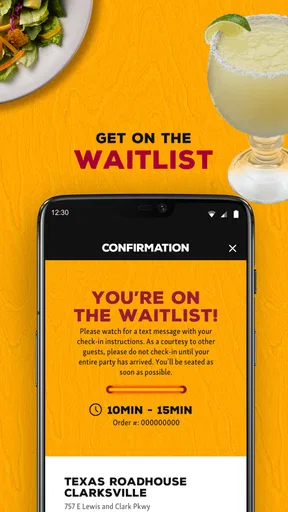
The Texas Roadhouse app is designed to enhance the dining experience by allowing users to check wait times, join the restaurant's waitlist, and place to-go orders. It also provides access to the full menu, special offers, and promotions. Additionally, users can manage their VIP Club membership and receive personalized recommendations.
Is the Texas Roadhouse app available for both Android and iOS?
Yes, the Texas Roadhouse app is available for download on both Android and iOS devices. You can find it on the Google Play Store for Android users and the Apple App Store for iOS users. The app is free to download and offers a seamless experience across both platforms.
Can I make reservations through the Texas Roadhouse app?
The Texas Roadhouse app currently allows users to join the waitlist but does not support making reservations. This feature helps to minimize waiting time by notifying you when your table is ready. It’s particularly useful during peak dining hours to ensure a smoother dining experience.
Does the Texas Roadhouse app offer any rewards or loyalty programs?
Yes, the app integrates with the Texas Roadhouse VIP Club, which offers members exclusive rewards and benefits. By using the app, you can easily track your reward points and receive notifications about special promotions, birthday offers, and member-only events directly on your device.
How user-friendly is the Texas Roadhouse app for placing to-go orders?
The Texas Roadhouse app is designed with user-friendliness in mind, making it easy to navigate and place to-go orders. Users can browse the full menu, customize their orders, and select their preferred pickup time. The app also saves your previous orders for quick reordering, enhancing convenience.


